
Zombie AI Video: Make a Couple Story from Two Photos
Make a zombie AI video from two adult portraits: photo roles, a real sample, current prices and steps for a 10-second 720p MP4 with sound.
By Zombie Couple Video
Last updated: October 29, 2026
A zombie AI video animates a fictional zombie scene from photos or a written scene description. On Zombie Couple Video, you supply two adult portraits: one person stays human and the other becomes their infected partner. New orders produce a 10-second, vertical 9:16, 720p MP4 with generated sound. Creation is paid, starting at $14.90 for one video; watching the examples is free. No account is required.
Make a zombie video from your photos · See the prices · Prepare your portraits
If you are looking for a particular clip, song or template, check the Zombie Scene AI template guide, Softvibe AI Studio song links or Zombie Scavenger work finder. Those are separate works and services.
What does the finished video look like?
The default story takes place in a farmhouse kitchen. A survivor recognizes their infected partner, hesitates during a confrontation, and the film cuts to a warm memory of the couple together. It is a dramatic horror scene: the preset includes a pistol and a sudden face grab. Watch the sample before deciding whether that tone suits your photos.
Our earlier 15-second demonstration, made with fictional adult portraits. New orders generate a separate 10-second video; this sample does not promise identical faces, movement or timing.
Open the earlier sample on its dedicated watch page.
Which photos should I upload?
Use one clear portrait per person, with permission from both adults. The first upload is the human survivor. The second upload is the partner who becomes a zombie. You do not need to make a couple collage or upload a kitchen image; the generator supplies the location reference.
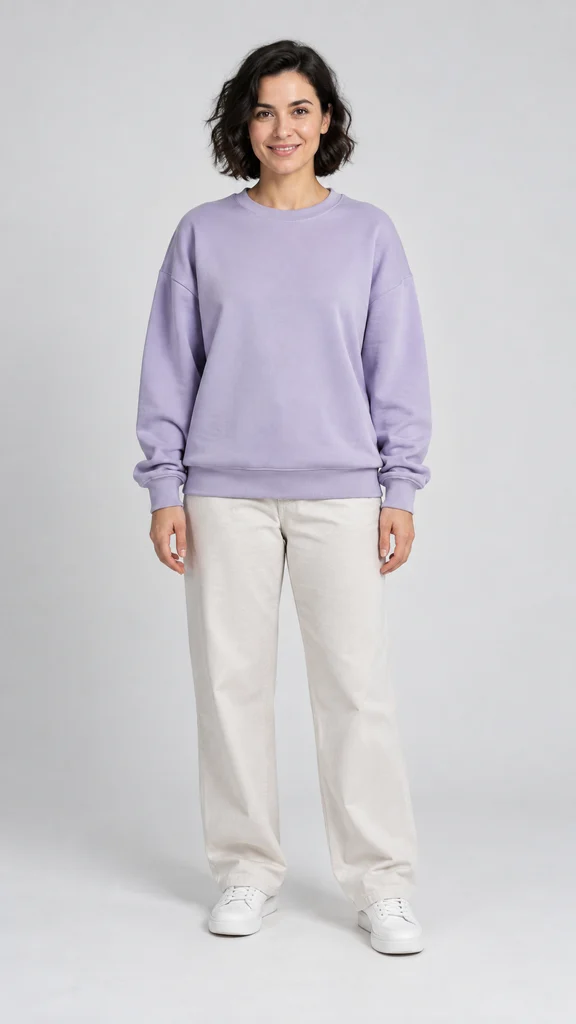
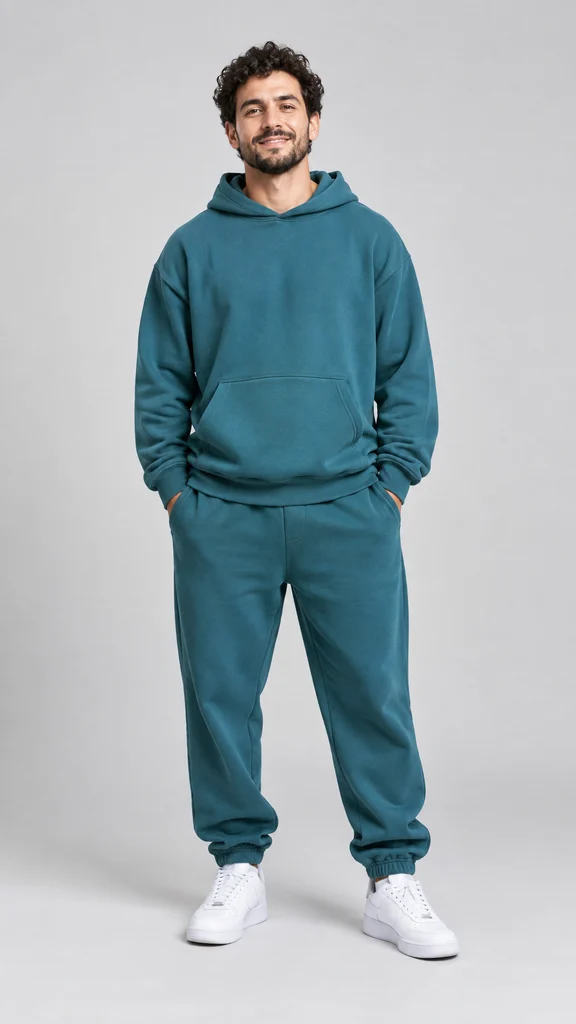
JPEG, PNG and WebP images are supported, up to 10 MB each. Choose photos where the eyes and face outline are visible. Avoid a hand across the face, a heavy beauty filter or several people in one image. Cropping a portrait is useful; it does not guarantee likeness. The portraits above are demonstration inputs owned by this site, rather than customer photographs.
How to make your zombie AI video
- Open the zombie preset. Use the zombie creation link so another saved story does not determine your starting choice.
- Upload the portraits in the right order. Check the two previews before continuing. Swapping the files changes who becomes infected.
- Review the story. Keep the preset for the illustrated story, or edit the optional prompt. Changes are directions to the model, not a frame-by-frame editor. The output remains 10 seconds, 720p and vertical.
- Choose a video pack and confirm your email. Check the displayed currency and total before paying. You do not need to sign in or subscribe.
- Wait for the result. Payment confirmation starts generation. Your email contains a private order link for results and remaining allowance.
- Watch and download the MP4. Check both faces, the transition to the memory scene and the sound. Save the file to your device before editing or sharing it.
Keep the order link private. If you cannot find it, follow the private order and email recovery guide. Buying a pack does not mean every allowance must be used at once.
What does a zombie AI video cost?
The current guest packs are one-time purchases. Every video in these packs uses the same 10-second, 720p delivery format.
| Pack | USD total | USD per video |
|---|---|---|
| 1 video | $14.90 | $14.90 |
| 2 videos | $27.90 | $13.95 |
| 5 videos | $64.90 | $12.98 |
Euro-area checkout uses €14.90, €27.90 and €64.90 respectively. Confirm the currency and final total in the current pricing page. Guest allowances do not automatically expire. Free generation is currently disabled; public examples can be watched without paying.
A confirmed technical generation failure restores the video allowance. That is different from a cash refund, which follows the refund policy. A completed result with an expression or camera move you dislike is not automatically a technical failure. Another generation is another attempt and consumes an allowance.
Can I choose the scene, soundtrack or exact movements?
You can choose the supported story and edit its prompt. The supplied location reference and photo roles still shape the result. For an exact shot sequence, extensive location changes or multiple episodes, plan separate shots in a tool that supports those controls and assemble them in an editor.
Generated sound is included, but this site does not provide an upload field for your own song, an exact lip-sync control or a licensed copy of a trending track. Add music you are entitled to use in your editor or publishing app. A streaming subscription to a song does not itself grant rights to synchronize it with your video.
Questions before starting
Can I use one photo of the two of us?
This generator requires two separate uploads with one adult per image. If you only have a group photo, prepare individual crops with permission and check that each face has enough detail. A collage is not the required input.
Does a longer prompt create a longer video?
No. New guest orders stay at 10 seconds. A long list of events can compete for that time. Keep one main encounter and a clear ending.
Why does the sample run for longer than a new order?
It was created with an earlier recipe. The displayed sample is 15 seconds; current guest delivery is 10 seconds. Purchasing creates a new result from your inputs and does not upscale or unlock that sample.
Is this the same as the Zombie Scene AI template?
No. The CapCut template covered in our scene guide has its own input and aspect-ratio requirements. This site creates a separate couple story from two portraits.